Parweld XR942H
Parweld XR942H
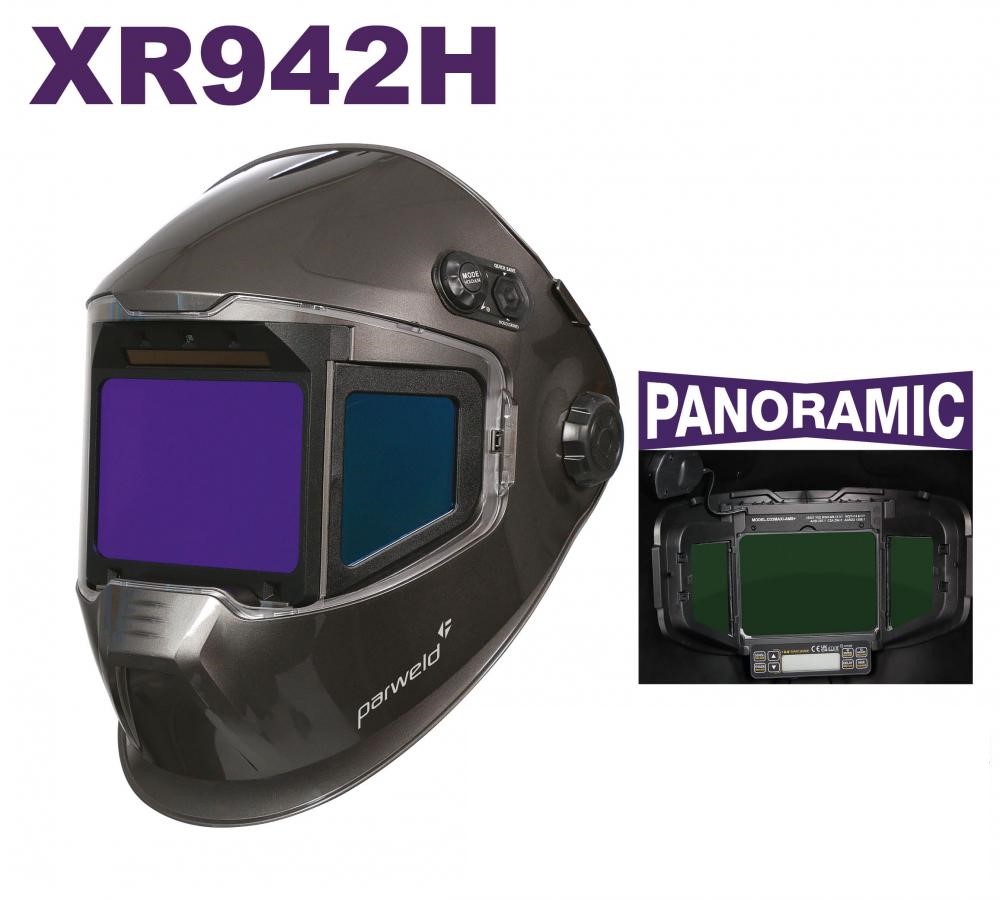
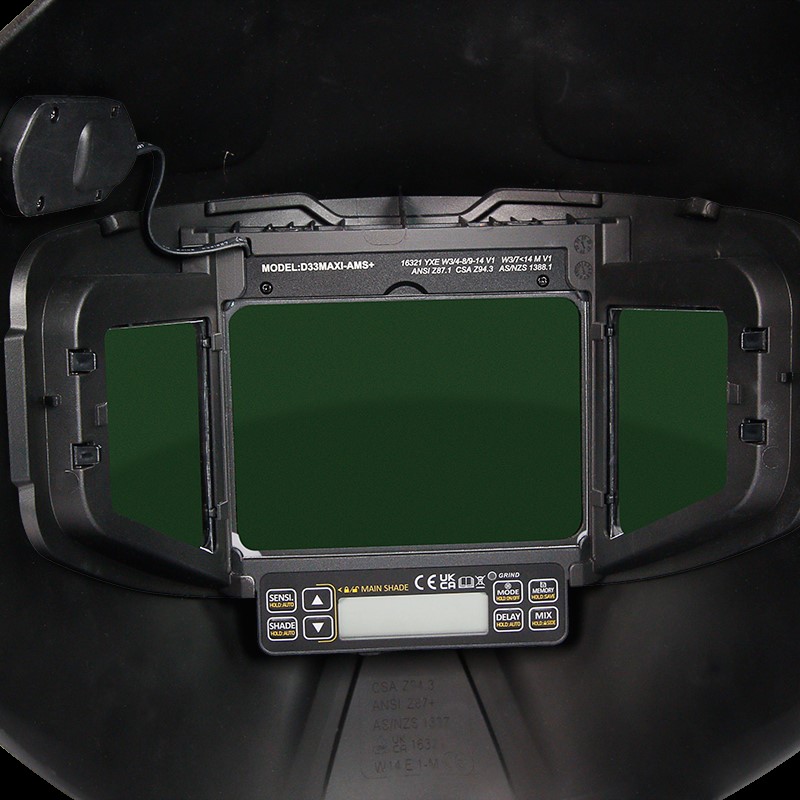
Features a wide panoramic ADF (180° Internal Vision) to improve peripheral vision, Active Shadow Side Windows and Auto Mode to automatically set the shadow selection of both the main and side windows.
The XR942H also features TIS Mode, which slows the ADF’s flashing to reduce fatigue when welding at high power. Selectors include: Weld Cut Selector, Fast Selector Grind Mode and Manual Shade Adjustment.
+ 1 extra Outside lens XR453
+ 1 extra Inside lens XR444
Parweld XR942H
- MODE: Select between WELD (welding), CUT (cutting), GRIND (grinding) or locked shade.
- MEMORY: Save and recall settings to 1 of 10 memory channels.
- SENSITIVEIT:Determine how fast the welding helmet should darken when registering an arc. Set between 0 and 9 or select automatic mode.
- SHADE:DIN 3, DIN4-8 / 9-14 variable. Adjustable in increments of 0.5 DIN. Or choose automatic DIN control. The welding helmet selects the correct DIN strength by itself.
- DELAY: Determine how fast the welding helmet should light after welding. Set between 0 and 9 or choose automatic mode. 0 is the TACK mode.
TRS: This button has 2 functions;This button has 2 functions; TIS mode – briefly press the TRS button to enable TIS mode. This function reduces fatigue and tired eyes by providing a gradual transition from dark to light. Not possible in mode 0 (TACK mode). Long press the TRS button to lock the side windows in dark mode.
Increase your Comfort
Increase your comfort while welding with Parweld’s XR942H welding and grinding helmet, equipped with a panoramic ADF. The XR942H welding helmet offers a wide field of view, LCD screen and True Color Auto-Darkening (ADF), providing excellent clarity with a 1/1/1/1 optical class.
Shade adjustment
Thanks to the progressive illumination function (TIS), your eyes are less stressed. The light shade DIN 3 provides better visibility for welding. In addition, the variable DIN control (DIN 4 – 14) can be adjusted digitally in 0.5 DIN increments, which increases comfort during various welding tasks.
Ergonomic headband
The ergonomic headband is well balanced with weight distribution on the head and can be adjusted in different ways for the perfect fit.
LCD Control Screen
The helmet offers multiple modes for different applications: auto shade mode for quick adjustments, Tack mode for quick switching with minimal delay, weld (weld), grind (grind) and cut (cut) mode. In addition, welders can save and recall their preferred settings thanks to the 10-channel memory function.
Parweld XR942H
- MODE: Select between WELD (welding), CUT (cutting), GRIND (grinding) or locked shade.
- MEMORY: Save and recall settings to 1 of 10 memory channels.
- SENSITIVEIT:Determine how fast the welding helmet should darken when registering an arc. Set between 0 and 9 or select automatic mode.
- SHADE:DIN 3, DIN4-8 / 9-14 variable. Adjustable in increments of 0.5 DIN. Or choose automatic DIN control. The welding helmet selects the correct DIN strength by itself.
- DELAY: Determine how fast the welding helmet should light after welding. Set between 0 and 9 or choose automatic mode. 0 is the TACK mode.
TRS: This button has 2 functions;This button has 2 functions; TIS mode – briefly press the TRS button to enable TIS mode. This function reduces fatigue and tired eyes by providing a gradual transition from dark to light. Not possible in mode 0 (TACK mode). Long press the TRS button to lock the side windows in dark mode.
Increase your Comfort
Increase your comfort while welding with Parweld’s XR942H welding and grinding helmet, equipped with a panoramic ADF. The XR942H welding helmet offers a wide field of view, LCD screen and True Color Auto-Darkening (ADF), providing excellent clarity with a 1/1/1/1 optical class.
Shade adjustment
Thanks to the progressive illumination function (TIS), your eyes are less stressed. The light shade DIN 3 provides better visibility for welding. In addition, the variable DIN control (DIN 4 – 14) can be adjusted digitally in 0.5 DIN increments, which increases comfort during various welding tasks.
Ergonomic headband
The ergonomic headband is well balanced with weight distribution on the head and can be adjusted in different ways for the perfect fit.
LCD Control Screen
The helmet offers multiple modes for different applications: auto shade mode for quick adjustments, Tack mode for quick switching with minimal delay, weld (weld), grind (grind) and cut (cut) mode. In addition, welders can save and recall their preferred settings thanks to the 10-channel memory function.
Related products
€ 540,00
Select options This product has multiple variants. The options may be chosen on the product page€ 79,95
€ 7.995,00